
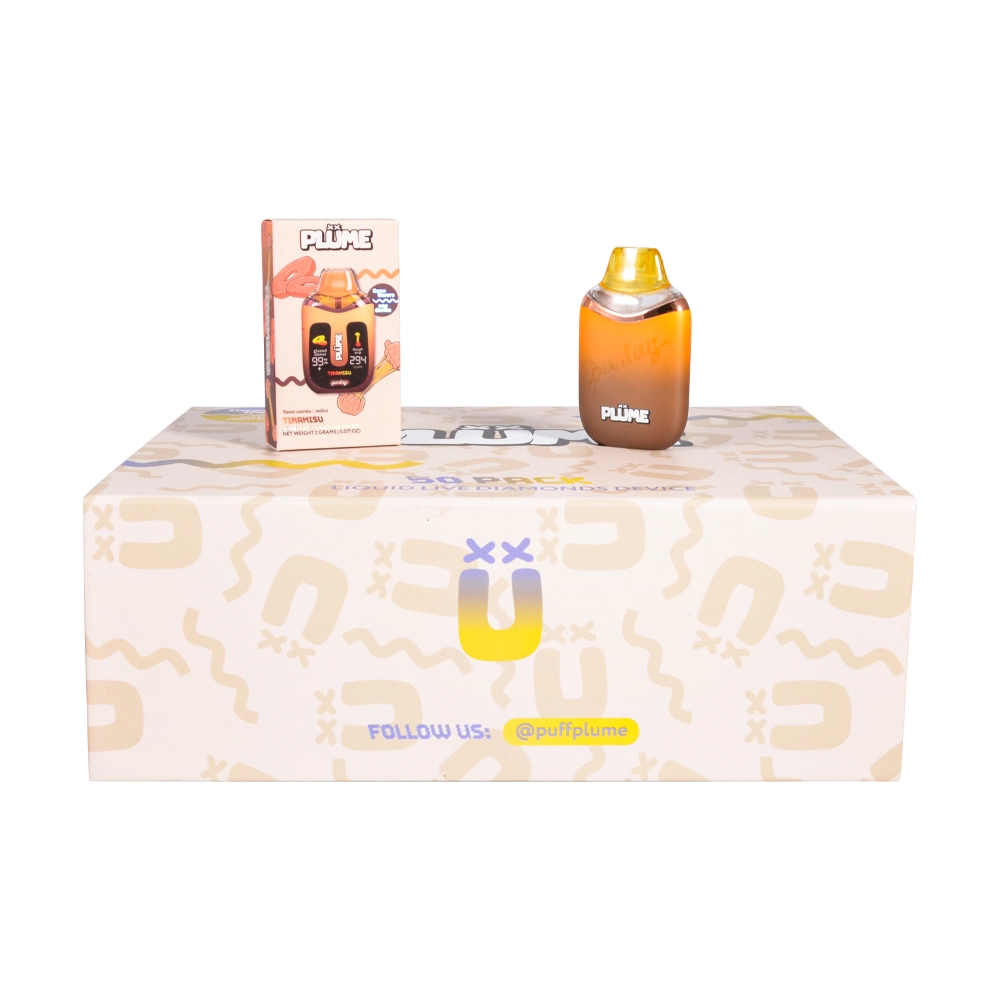
Plume Vape Switching: How to Prevent Variant Mix-Ups in Wholesale Receiving
Variant mix-ups (wrong flavor/strain, wrong device type, wrong hardware revision) are one of the fastest ways to create avoidable RMAs, negative reviews, and rework costs. “Plume” is a high-risk keyword in receiving because it can refer to different product lines/brands that look similar at a glance—e.g., PLÜME positions itself around a “dab-like experience” and “terpenes from the original flowers infused into their cartridges,” while Plume Parlay listings emphasize features like USB-C rechargeable battery and anti-clog postless design.
In this article, “switching” means switching between variants/SKUs in your warehouse process—not a device feature.
1) Start with a “Variant Map” (the SKU fingerprint)
Before a PO lands, define a SKU fingerprint that your receiving team can check in seconds:
-
Brand family: PLÜME vs Plume Parlay (and any private-label sublines)
-
Format: cartridge vs disposable
-
Capacity: (as labeled)
-
Hardware cues: USB-C location, “postless” claim, screen/indicator type
-
Flavor/strain name + internal short code
-
Packaging revision: box art version + seal type
-
Lot/batch/serial fields: where they appear and how they’re formatted
This is the single best way to stop “looks similar” mistakes.
2) Make barcodes do the heavy lifting (GTIN rules, not vibes)
If you can enforce it, require suppliers to provide a proper GTIN per sellable variant and keep the barcode-data relationship accurate. GS1 explicitly frames GTIN management as ensuring that scanned barcode data maps to accurate, up-to-date product data, and that GTIN allocation/barcoding rules are governed by the GS1 General Specifications.
Practical receiving rule:
-
If the barcode scans to the wrong description (or no description), treat it as high risk and quarantine until reconciled.
3) Use SSCC on cases/pallets to prevent “wrong carton, right brand” errors
For bulk operations, push for GS1 logistic labels with SSCC (Serial Shipping Container Code). GS1 notes SSCC enables applications like automated receiving and can carry attributes including product variant, dates, and lot/batch/serial numbers—exactly what you need to prevent variant mixing at the case/pallet level.
Dock workflow (fast):
-
Scan SSCC on pallet/case → match to ASN/packing list
-
If mismatch → do not break down; move to quarantine
-
Only then proceed to unit/case sampling
4) The “3-Layer Check” that stops most mix-ups
Layer A — Scan check (objective)
-
Scan unit UPC/GTIN (or internal barcode) → verify it matches your SKU fingerprint.
Layer B — Visual cue check (human)
-
Confirm two unique visual cues (e.g., box color + flavor name band; or flavor name + device silhouette).
Layer C — Lot/batch consistency (risk control)
-
Ensure the lot/batch/serial format matches what you expect for that SKU.
Warehouse tip: For fast-moving “Plume” SKUs, do a two-person verification on the first carton opened per shipment.
5) Don’t let QR/NFC verification links become a new failure mode
Many vape products use QR/NFC stickers for verification or marketing. These can help—until staff scan the wrong thing and end up on a spoofed page. The FTC warns that QR codes can route to spoofed sites (and can be used to steal information or deliver malware).
Receiving-safe rule set:
-
Only scan codes from expected packaging in a controlled environment.
-
Verify the domain before interacting.
-
Never enter credentials or install apps prompted by a scan.
6) Plume-specific “gotchas” to train on (real examples)
A) Same keyword, different product families
-
PLÜME messaging centers on a “dab-like experience” and “terpenes…infused into their cartridges.”
-
Plume Parlay product pages highlight USB-C rechargeable battery and anti-clog postless design (and may present different box art + device silhouette).
If your warehouse handles both, your SKU fingerprint should force an early fork:
“PLÜME / cartridge” ≠ “Plume Parlay / disposable.”
B) Packaging lookalikes across flavors
Flavor art changes are often subtle. Require:
-
an internal short code (e.g., PLM-PAR-CK-HYB) printed on shelf labels/bin labels,
-
and photo references in your receiving SOP.
7) A simple receiving SOP you can paste into your playbook
Before arrival
-
Load the SKU fingerprint list into WMS (or a shared sheet)
-
Confirm ASN includes: SKU, qty, lot/batch, carton count
At receiving
-
Scan SSCC (if available) → match ASN
-
Open 1 carton per SKU → scan 3 units → verify variant name + barcode match GS1/your master data
-
Photo-capture: front/back/side + seals + any QR/NFC label (don’t scan unless required)
-
If any mismatch: quarantine + escalate to purchasing
Putaway
-
Physically separate similar-looking variants
-
Use bin labels that repeat: Brand family + Format + Flavor + Short code
0 Comments