
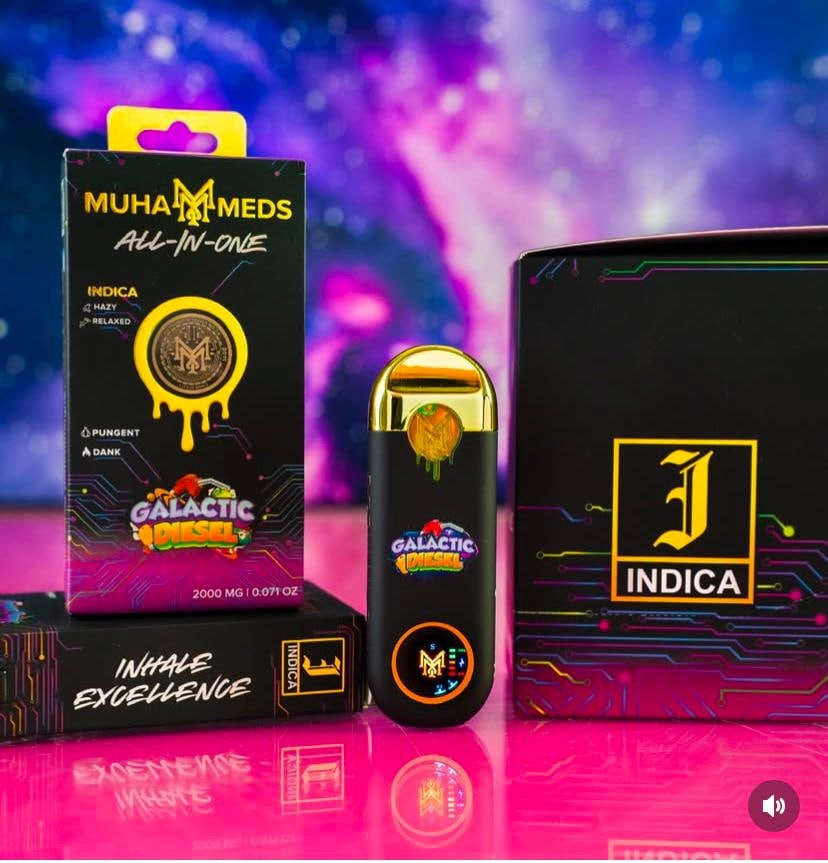
Muha Meds Gen 3 Empty Disposable (Hardware Only): App-Based Authentication Workflow for U.S. B2B (2025)
If you’re buying in bulk, “authenticity” isn’t a vibe—it’s an ops workflow. This guide gives U.S. B2B teams a repeatable, documentation-first SOP to authenticate Muha Meds Gen 3 empty disposables (hardware only) using the official app, while reducing phishing risk, returns, and chargebacks.
Key Takeaways (TL;DR)
Gen 3 = official app scan (not scratch-code entry)
Gen 3 authentication is app-based: your team scans the product code using the Muha Members verification app. Treat “Gen 2 scratch-code entry” as a different workflow.
Your goal is a repeatable SOP + evidence pack
- Standardize who scans, what you log, and how you quarantine exceptions.
- Save screenshots and shipping documentation so disputes become process—not opinion.
Scan safely (QR phishing is real)
QR codes can route staff to spoofed pages or malware. Build a “pause → verify → scan” habit into receiving.
1) Compliance-First Scope (What This Guide Is / Isn’t)
Hardware-only verification
This SOP is designed for empty hardware programs—receiving, QC, and seller protection. It focuses on authenticity checks, documentation, and escalation. It does not cover consumption guidance or any illicit commerce.
What “authentication” means in B2B ops
- Verify via official tools (app-based Gen 3 scan).
- Document outcomes in a receiving log.
- Quarantine exceptions until resolved with your supplier.
2) What “Gen 3” Means (And How It Differs From Gen 2)
Gen 2 (context only): scratch-code entry
Some Muha Meds packaging references earlier “scratch-off” codes intended for web entry. That is not the Gen 3 workflow.
Gen 3 (core): app-based scan verification
Gen 3 authentication is designed to be performed inside the Muha Members verification app: open the app, scan the product code, and read the result. In ops terms, that gives you a consistent “pass/fail/exception” output you can log and act on.
Why brands move to app verification (practical reasons)
- Fewer manual entry errors vs. typing long codes.
- More consistent staff training (“scan → screenshot → log”).
- Cleaner evidence trail for disputes when you store scan results.
3) Pre-Receiving Setup (Do This Before Any Shipment Arrives)
Tools & access
- Dedicated store/company phones for scanning (avoid personal devices for compliance).
- Verified installs of the official app from the platform app store(s).
- A shared folder (Drive/SharePoint) for Scan Screenshots and Receiving Logs.
Receiving log template (minimum fields)
Copy/paste into a spreadsheet:
Date/Time • PO # • Supplier • SKU/Variant • Carton ID • Unit count • Receiver initials • Scan result (Pass/Fail/Used/Unknown) • Screenshot link • Notes
Define a quarantine lane
- Physically separate: Do-not-sell shelf/bin.
- Pre-print hold labels:
QUARANTINE – AUTH REVIEW. - Assign one owner: who decides release vs. return.
4) The Core SOP: Receiving → App Scan → Decision
Step A — Intake & visual triage (high-level)
- Confirm SKU matches PO and packing list.
- Photograph sealed cartons and representative units before opening.
- Do not publish or rely on “tiny print tells” as your primary control—use the official app result + documentation instead.
Step B — Official app scan (Gen 3 workflow)
- Open the Muha Members verification app.
- Scan the product code as instructed by the app UI.
- Take a screenshot of the result screen.
- Repeat according to your sampling plan (see “Supplier vetting”).
Step C — Record, tag, and route
- Log each scan outcome in your receiving spreadsheet.
- If any exception appears (Fail/Used/Unknown), quarantine that unit/carton and expand sampling.
- Notify the supplier with a clean “evidence pack” (see Section 7).
5) Safe QR Scanning Rules (Mandatory)
Rule 1: don’t trust random redirects
Treat every QR as a potential phishing vector. If a scan opens a page that asks for logins, payment details, or personal info, stop. Your verification workflow should not require sensitive data entry.
Rule 2: when in doubt, use official app/pages
- If you suspect a QR points somewhere strange, don’t proceed through the browser prompt.
- Instead, open the official app directly and scan inside it.
- If you must use a website, type the known URL manually rather than following an unknown redirect.
Rule 3: staff micro-training (30 seconds)
- Pause before scanning.
- Verify you’re using the official app.
- Scan, then Screenshot.
- Log the result immediately.
6) Result Interpretation + Action Matrix
Table: app scan outcomes → required actions
| App Result (example) | Risk level | Required action | Evidence to save | Supplier follow-up |
|---|---|---|---|---|
| Pass / Authentic | Low | Release to inventory | Screenshot + receiving log row | None |
| Fail / Not recognized | High | Quarantine; do-not-sell | Screenshot + packaging photos + PO | Request investigation/replacement |
| Used / Already scanned | High | Quarantine carton/lot; expand sampling | All screenshots + carton mapping | Escalate immediately |
| Unknown / Error | Medium | Re-scan on second device; if persists, quarantine | Error screenshots + notes | Ask for guidance |
Internal escalation path
- Release authority: designate a manager/QC lead who can override release decisions.
- SLA: define “time to resolution” (e.g., 48 hours) before returning stock.
- Communication rule: one thread per PO to avoid evidence fragmentation.
7) Evidence Pack (Chargeback / Platform Dispute Ready)
What to store (minimum evidence)
- PO + invoice + packing list
- Carton photos (sealed) + unit photos (representative)
- All scan result screenshots
- Receiving log export (CSV/PDF)
Batch/lot mapping (without oversharing)
Create an internal mapping between cartons and scan results so you can isolate risk fast. Keep replication-sensitive details out of public posts; your operational controls should rely on official verification + documentation.
Retention policy (simple)
Keep evidence for at least the length of your payment dispute window plus a buffer (many teams use 6–12 months).
8) Supplier Vetting (Prevent Problems Upstream)
Documents you require before shipping
- Written confirmation that goods are Gen 3 app-verifiable and intended for hardware-only distribution.
- Packing list with SKUs and carton counts.
- Clear return/replacement terms for authentication failures.
Sampling plan (three options)
- Light: scan 3–5 units per carton (trusted vendor, low risk).
- Standard: scan 10 units per carton or 5% of units (typical wholesale posture).
- Strict: scan 20 units per carton + expand on any exception (new vendor or prior issues).
Scorecard metrics
- Pass rate (%), exception rate (%), time-to-resolution, repeat incident count.
- Vendor downgrade triggers (e.g., 2 exception shipments in a rolling quarter).
FAQ
1) What makes Muha Meds “Gen 3” different from Gen 2?
Gen 2 commonly references scratch-code web entry; Gen 3 is app-based verification where the code is scanned inside the Muha Members verification app.
2) Can we authenticate Gen 3 without the app?
For Gen 3 workflows, use the official app method whenever possible. If a QR scan pushes you into a browser flow that looks suspicious, stop and switch to the official app or manually type known official URLs.
3) What should we do if the app says “used” or “fail”?
Quarantine the affected units (and often the carton/lot), save screenshots, update your receiving log, and escalate to the supplier with your evidence pack. Do not sell until resolved.
4) How do we train staff to scan safely?
Use a short script: “Scan only in the official app, never enter credentials after scanning, screenshot results, log immediately.” Run periodic spot checks to ensure the workflow is followed.
5) How many units should we scan per shipment?
It depends on vendor risk. Many teams start with a standard sample (like 5–10% per carton) and tighten sampling for new vendors or after any exception appears.
6) Does app verification eliminate all counterfeit risk?
It reduces risk, but your best protection is the combination: official verification + safe scanning practices + evidence logging + quarantine and supplier escalation rules.
References (Authoritative)
- Muha Meds — Verify (Gen 2 scratch-code + Gen 3 app scan note)
- Muha Meds — Muha Members (verification app overview)
- Muha Members — Apple App Store listing
- FTC — QR codes can hide harmful links
- FBI IC3 — Unsolicited Packages Containing QR Codes Used to Initiate Fraud Schemes (Jul 31, 2025)
Note: This post intentionally avoids “replication-friendly” counterfeit details. Operational security works best when verification relies on official tooling and documented chain-of-custody.
CTA: Want a Printable Receiving Checklist?
Turn this workflow into a one-page SOP: receiving log template + scan action matrix + quarantine checklist. (If you publish downloads, link it here.)
Related guides (add your internal links): Fake vs Real Muha Meds Empty Disposable (Hardware Only) • Returns & Chargebacks SOP • Supplier Vetting Playbook
If you want to more vape wholesale pls go through these pages:muha meds wholesale|muha meds dual chamber|muha meds bulk 2025
0 Comments