
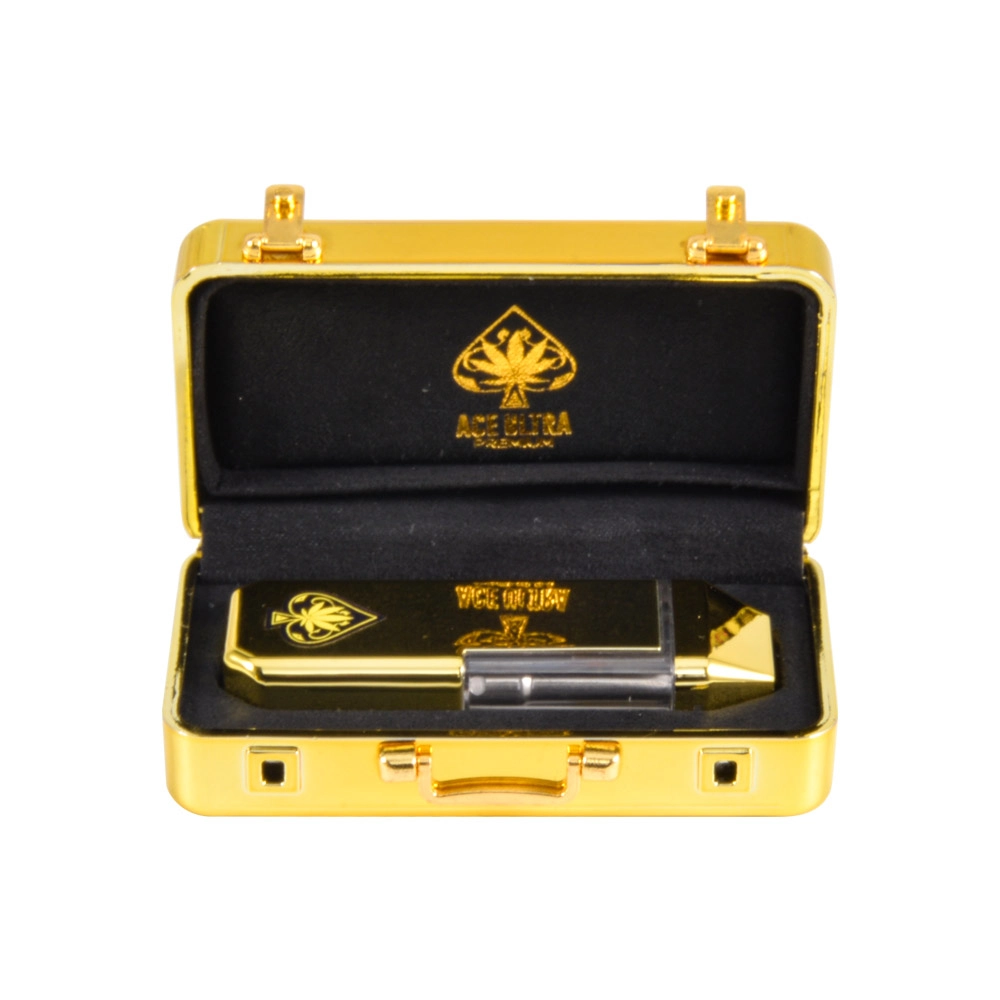
Charging & Power Basics for Ace Ultra Gold Box 2g Empty Disposables (USB-C FAQs)
If you’re sourcing Ace Ultra Gold Box 2g empty disposable hardware for U.S. distribution or OEM/ODM packing, power-related questions will show up immediately—often before buyers ask about colors or packaging. That’s because charging issues are the #1 driver of “dead on arrival” complaints and returns in disposable-format hardware.
This guide is written for B2B buyers and packagers working with empty, single-chamber, no-screen units. It covers how USB-C charging typically works in this category, what to test during QC, and how to answer the most common U.S. customer questions with professional, compliance-friendly wording.
Note: This product is empty hardware (no oil, no nicotine, no cannabis). Power behavior depends on the internal power board and cell spec used in a given production batch.
1) What “USB-C Charging” Really Means on Empty Disposables
A USB-C port on a disposable device does not automatically mean “fast charging” or high power. In most empty disposable hardware, USB-C is used primarily for:
-
Connector convenience (modern cable standard)
-
More robust port geometry than older micro-USB designs
-
Simpler user experience for retail customers
Most disposable-format devices charge using a basic 5V input profile. The charging circuit is typically designed for low current, which helps reduce heat and supports cell longevity.
B2B takeaway: Your product listing should say USB-C rechargeable, but avoid implying fast charging unless you have bench-verified specs.
2) Common Power Architecture in No-Screen, Single-Chamber Hardware
While designs vary, the typical power stack looks like this:
-
Lithium cell (often in the ~280–450 mAh class for 2g formats, but not universal)
-
Charge management IC (controls charge rate, cutoff, and safety thresholds)
-
Protection (overcharge/over-discharge/short protection—either integrated or separate)
-
LED indicator (simplified status cues, especially in no-screen models)
-
Airflow/vape control board (activates the coil via draw sensor or switch logic)
No-screen models usually reduce failure points (no display module, fewer solder joints, fewer firmware-driven UI errors). That’s one reason U.S. bulk buyers often prefer them when reliability and lower return rates matter.
3) USB-C FAQs U.S. Buyers Ask Most
Q1: “Is it rechargeable or truly disposable?”
Answer (recommended): It’s a rechargeable empty disposable device with a USB-C port. The unit is disposable by format, but the battery is rechargeable for full utilization of the tank capacity.
Q2: “What charger should I use?”
Best practice answer: Use a standard 5V USB power source (like a computer USB port or a basic 5V adapter). Avoid high-output fast chargers if you haven’t validated compatibility.
Q3: “How long does it take to charge?”
Charging time depends on battery capacity and charge current. A practical, safe statement for listings is:
-
“Typically 30–90 minutes” (range), without overpromising a fixed time.
Q4: “Can I use any USB-C cable?”
Generally yes, but the real-world failure is often the cable quality. Advise:
-
Use a known-good USB-C cable
-
Confirm the cable works with other USB-C devices
Q5: “Does it support USB-C to USB-C charging?”
Some low-cost implementations are optimized for USB-A to USB-C cables. If you haven’t verified C-to-C behavior, don’t guarantee it. Instead say:
-
“USB-C port; compatible with standard 5V USB power sources.”
4) LED Signals: How to Explain Charging Status Without a Screen
No-screen devices rely on a simple LED language. Since patterns vary across factories, avoid making exact claims unless you’ve validated the pattern on your batch. Use “typical” language:
-
During charging: LED stays on or pulses
-
Fully charged: LED turns off or changes pattern
-
Low battery: LED blinks during draw or the device stops firing
B2B tip: For U.S. customer support, create a small “LED behavior card” per batch once you confirm the pattern in QC. This reduces charge-related tickets dramatically.
5) The Most Common Charging Problems (and the Real Root Causes)
Problem A: “Not charging” (no light, no response)
Most common causes:
-
Dead cable / weak adapter
-
Lint/debris in the USB-C port
-
Port solder joint damage from shipping vibration
-
Battery shipped below safe voltage threshold (over-discharge)
Support-safe steps:
-
Try a different cable and 5V source
-
Inspect and gently clear the port (no metal tools)
-
Let it charge for 10–15 minutes before judging
-
If still unresponsive, treat as QC/replace
Problem B: “Charging light turns on briefly then off”
Possible causes:
-
Poor cable fit
-
Intermittent port contact
-
Protection circuit triggering due to abnormal cell voltage
Problem C: “It charges but doesn’t fire”
This is often mistaken as a charge issue. Common causes:
-
Coil connection issue
-
Draw sensor sensitivity
-
Airflow blockage
-
Over-tightened or misaligned internal contact post
Key point: Separate “charging function” from “firing function” in your troubleshooting flow.
6) QC Checklist for Bulk Buyers (What Pros Actually Test)
If you’re importing or drop-shipping U.S. stock, a basic QC protocol is non-negotiable. Here’s a practical checklist:
Incoming QC (IQC)
-
Port alignment: centered, no wobble, no recessed deformation
-
Cable fit: plug insertion feels consistent across samples
-
LED function: power indicator triggers reliably
-
Charge acceptance: verify the unit draws current when connected (use a USB power meter if available)
Functional Sampling (AQL-style)
-
Charge cycle spot test: partial discharge → charge → confirm cutoff behavior
-
Draw activation consistency: verify it fires consistently after charging
-
Heat check: ensure charging doesn’t create abnormal heat (warm is normal; hot is a red flag)
Packaging & Transit Risk
-
Confirm units are packed to reduce port stress:
-
Anti-shock internal trays
-
No loose movement inside “gold box” outer packaging
-
B2B standard: Document results per batch with photos/videos. When a buyer complains, you can distinguish “user cable issue” from “batch port defect” quickly.
7) How to Write Charging Claims on Product Pages (So You Don’t Create Returns)
The fastest way to create refund requests is to overpromise charging performance. Use claims that are accurate and defendable:
Good:
-
“USB-C rechargeable”
-
“Use a standard 5V USB power source”
-
“Charging time varies by power source and battery status”
Avoid unless verified:
-
“Fast charging”
-
“Charges in 20 minutes”
-
“USB-C to USB-C supported” (if untested)
-
“Guaranteed battery capacity” (unless you have tested spec sheets and incoming inspection data)
8) Safety & Compliance Notes (Short, Professional, U.S.-Friendly)
Even though this is hardware-only, U.S. customers expect basic battery safety guidance:
-
Do not charge unattended
-
Keep away from heat and direct sunlight
-
Do not use if the device is visibly damaged
-
Use standard 5V USB power sources
-
Store in a cool, dry place during transit and warehousing
For B2B buyers, include a simple line:
-
“For licensed packagers and brands. Empty hardware only.”
9) Quick “USB-C FAQ” Snippet You Can Paste Into Listings
USB-C Charging FAQ (Hardware Only):
This Ace Ultra Gold Box 2g unit is empty hardware and USB-C rechargeable. Use a standard 5V USB power source and a known-good cable. Charging time varies by battery status and adapter. LED behavior may vary by batch.
If you want more vape in USA, you can go through those pages: empty disposable vape|2ml disposable|ace ultra premium vape|ace disposables
0 Comments